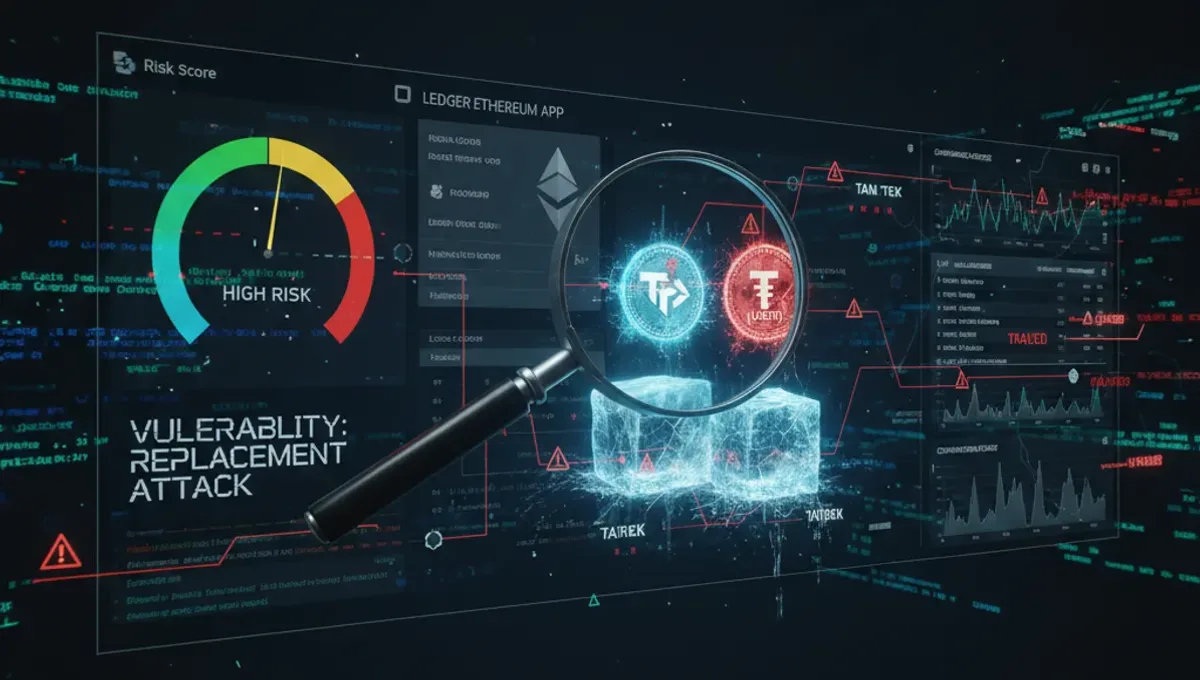
What Is a Transaction Replacement Attack?
A transaction replacement attack (also called a substitution or sleight-of-hand exploit) occurs when an attacker tricks a user into signing a transaction that differs from what's displayed on their device screen. In the Ledger Ethereum app vulnerability, the flaw allowed attackers to craft a malicious transaction so that:
- The display on the Ledger device showed one destination address or amount
- The actual blockchain transaction sent funds to a different address or in a different quantity
- The user, believing they approved the correct transaction, unknowingly authorized theft
This is especially dangerous because hardware wallets exist precisely to prevent such attacks by displaying transaction details on a secure, isolated screen. When that screen becomes unreliable, the entire security model breaks down.
How the Ledger Ethereum App Vulnerability Worked
OneKey's research team identified a flaw in how older versions of the Ledger Ethereum app validated transaction data before displaying it to the user. Specifically:
- The parsing gap: The app did not fully parse and verify all transaction parameters before rendering them on screen
- Malformed data exploitation: Attackers could embed hidden instructions in the transaction's raw data layer that the app wouldn't display but that the blockchain would interpret
- Silent substitution: A user would see the "correct" transaction on their Ledger screen but actually sign instructions that diverted funds elsewhere
Ledger addressed this in version 1.22.2 by: - Enforcing stricter validation of transaction structure before display - Preventing unparsed or malformed data from reaching the signing stage - Adding checksum verification of displayed vs. actual transaction parameters
Why This Matters for AML and Compliance Workflows
For exchanges, payment processors, and compliance teams, this vulnerability underscores a critical principle: you cannot assume a wallet address is secure just because it uses a hardware wallet.
When receiving crypto payments or conducting KYC/KYT checks:
- A user may send funds from a compromised or outdated Ledger instance
- The address on your invoice may differ from the address that actually receives the transaction
- Tainted or stolen funds can arrive at your payment wallet due to upstream exploitation
- Without proper AML screening, you might accept funds tied to mixers, scams, or sanctions violations
Best practice: Always cross-reference the sender's wallet address against a crypto wallet AML check tool before accepting payment. This step catches not only compromised devices but also funds originating from darknet markets, gambling operations, or sanctioned entities.
Step-by-Step: How to Verify a Wallet Before Accepting Payment
If you're receiving crypto and want to assess the source wallet's risk profile:
- Obtain the sender's wallet address (not just their invoice or account name)
- Run an AML crypto check using a trusted blockchain analytics service—check our curated AML Services page for verified providers
- Review the risk score and transaction history: - Green/low risk: address is clean, minimal darknet or mixer exposure - Yellow/medium risk: address has touched mixers or exchange withdrawals; requires case-by-case judgment - Red/high risk: direct darknet, stolen funds, sanctions exposure; reject the transaction
- Document the check in your compliance records (required for regulatory audits)
- Reject if uncertain—it's safer to ask the sender for a different address or use an alternative payment method
Ledger Update Protocol and What Users Should Do
If you hold Ethereum or ERC-20 tokens on a Ledger device:
| Action | Timeline | Priority |
|---|---|---|
| Update to Ethereum app 1.22.2 or later | Immediate | Critical |
| Verify your firmware version in Ledger Live | Today | Critical |
| Check recent transactions for unexplained activity | Today | High |
| Enable blind signing disable (if you use it) and review app settings | This week | High |
| Monitor your address on a blockchain explorer | Ongoing | Medium |
Note: Ledger Live automatically notifies users of app updates. If you've been prompted, apply the patch now. No user funds were reported lost from this specific exploit, but timely updates prevent future attacks.
Transaction Verification: Hardware Wallets vs. AML Screening
These are two separate layers of security:
Hardware wallet security (Ledger, Trezor, etc.): - Protects your private keys from theft - Ensures you approve transactions before they broadcast - Does not verify the reputation or source of funds you receive
AML wallet screening (blockchain analytics): - Analyzes the transaction history and risk profile of a wallet address - Flags exposure to darknet, mixers, stolen funds, or sanctions - Helps you decide whether to accept payments from that address - Does not protect your private keys or transaction signing process
Combined approach: Use a Ledger to send funds securely, and use an AML check to vet wallets before you receive payments into your own Ledger or exchange account.
FAQ: Ledger, Transaction Attacks, and Crypto Compliance
Q: Should I distrust my Ledger after this vulnerability? A: No. Hardware wallets remain the safest way to store private keys. Update your app immediately, and the risk is eliminated. The vulnerability was in an old version; current firmware is patched.
Q: What if I already sent ETH from my Ledger before updating? A: Your coins are safe. This vulnerability only affects receiving transactions on a compromised device. Your outgoing transactions were signed securely.
Q: Do I need an AML check if I use a hardware wallet? A: Yes, but for different reasons. An AML check screens the source of funds you receive, not the security of your device. It catches tainted coins, not hacked wallets.
Q: Will my exchange freeze my account if I deposit from a flagged wallet? A: Possibly. If the address you deposit from has darknet or mixer exposure, the exchange may flag your deposit, freeze your account, and request documentation. Using an AML check before accepting payment prevents this.
Q: How often should I update my Ledger apps? A: Check for updates weekly. Enable automatic updates in Ledger Live if available. Critical security patches should be applied within days of release.
Key Takeaways
- Keep your Ledger Ethereum app updated to 1.22.2+; older versions are vulnerable to transaction replacement attacks
- Transaction replacement exploits are rare but critical; they break the hardware wallet security model
- Before accepting crypto payments, screen the sender's wallet address with an AML tool from our trusted AML Services list
- Risk scores help you reject funds tied to mixers, darknet markets, scams, or sanctions—preventing exchange freezes and compliance violations
- A hardware wallet protects your keys; an AML check protects your reputation
---
Source: Cointelegraph